How to Specify R135 Under-Canopy Fixture Accessories
Separate the included R135 fixture items from optional accessories and assign model-specific evidence before an under-canopy order is released.
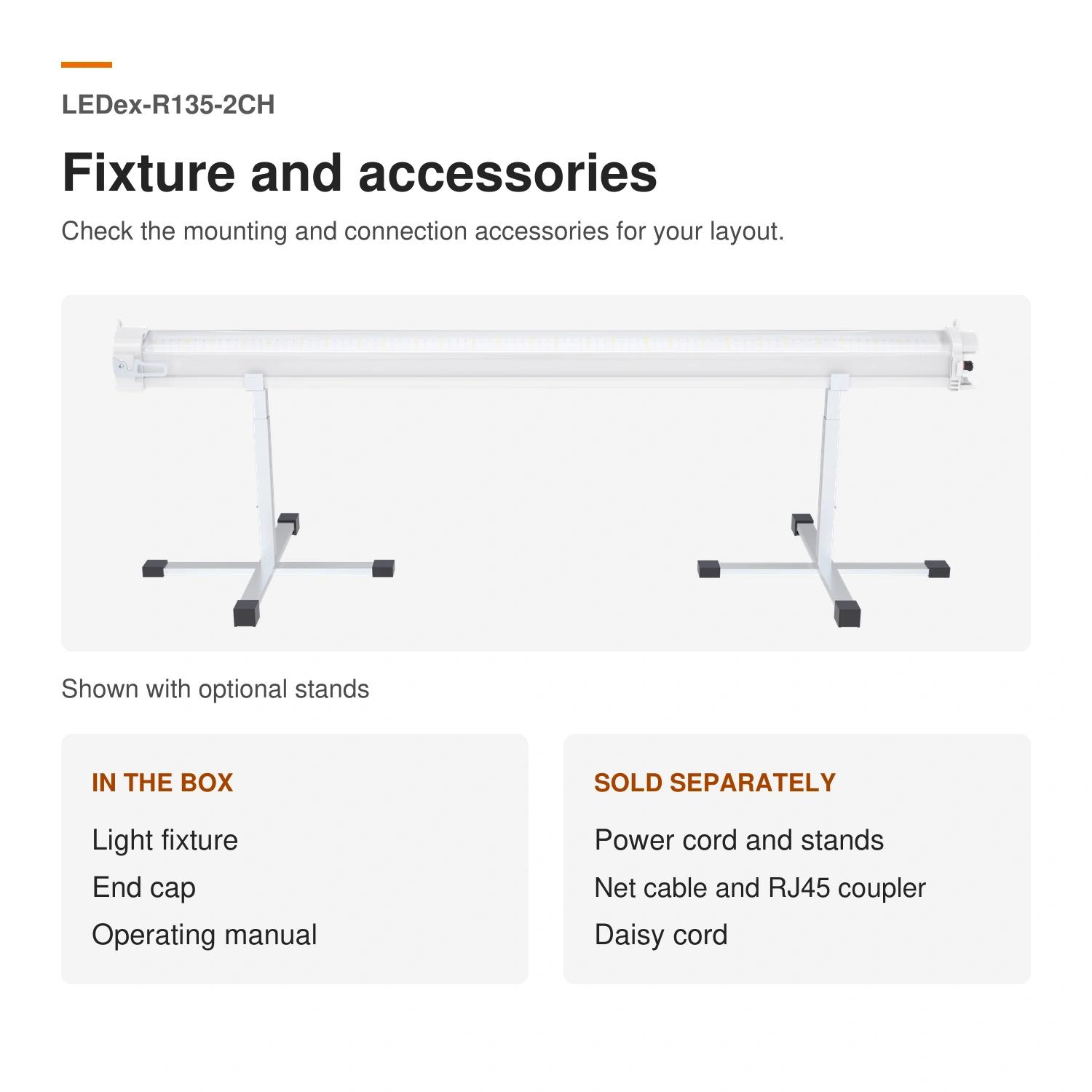
An under-canopy order can become ambiguous when the fixture is named but its stands, cords, network parts, and documentation are not separated into order rows. For the current Number LEDex-R135-2CH product record, the fixture, end cap, and operating manual are included. Stands, power cords, daisy cords, network cables, and RJ45 couplers are described as optional accessories. Treat that list as a starting point for an order sheet, not as confirmation that a particular part number, quantity, or connection arrangement has been approved.
Start with the exact R135 product row
Use the model LEDex-R135-2CH and product code 80.02.0763 as the reference row. The current record lists nominal power as 135 W, divided into a 120 W main channel and a separately controlled 15 W far-red channel. It also lists knob and 0–10 V dimming. Those fields identify the base fixture; they do not tell a buyer which optional cords, cables, couplers, or stands belong in a specific project. Keep the fixture identity beside every accessory request so an option is not carried over from a different model or revision.
Review the current LEDex-R135-2CH product record before issuing a purchase request or sample brief.
Put included and optional items in separate columns
Make three groups in the order sheet. First, record the included items: fixture, end cap, and operating manual. Second, list each optional category on its own line: stand, power cord, daisy cord, network cable, and RJ45 coupler. Third, add a decision column for each optional row: required, not required, or open. This prevents an optional item from being assumed because it appeared in a product image or a prior quotation.
Request the evidence that turns an accessory category into an order line
For every optional row selected for the project, request the exact part number, quantity, applicable fixture revision, drawing or photo where needed, and the document owner. If the item is a cord, cable, or coupler, keep its length, connector details, electrical rating, and intended use as open evidence until they are supplied for the quoted configuration. The published R135 record does not establish any of those details, and it does not confirm accessory compatibility or an installation method.
Use a short accessory-release checklist
Before releasing the order, check: model and product code; included-item acknowledgment; optional-item status; selected accessory part numbers and quantities; linked fixture revision; drawing, photo, or specification reference where relevant; open cable, connector, and electrical details; and the named reviewer for the final configuration. Leave a row blocked when any selected accessory lacks its model-specific evidence. This is a procurement control, not a statement that the fixture or accessories are approved for a particular site.
Move configuration changes into the project discussion
Source note: Product-specific statements were checked against the current published Sanity record for LEDex-R135-2CH, product code 80.02.0763, on 2026-11-18. This article does not claim an accessory part number, compatibility, cable rating, electrical design, installation approval, certification scope, test result, crop outcome, energy saving, lead time, price, customer result, or competitor comparison.